Coach-guided body awareness

Progress your clients can feel — even when the scale won’t cooperate.

The scale is slow and noisy; when it stalls, so does motivation. BodyTide moves the goal from a number to a felt sense of control — and everything the client logs, plus every tool they use, feeds back to you.

No scores, no streaks — weight shown as a phase-aware band, never a number you didn’t ask to see.

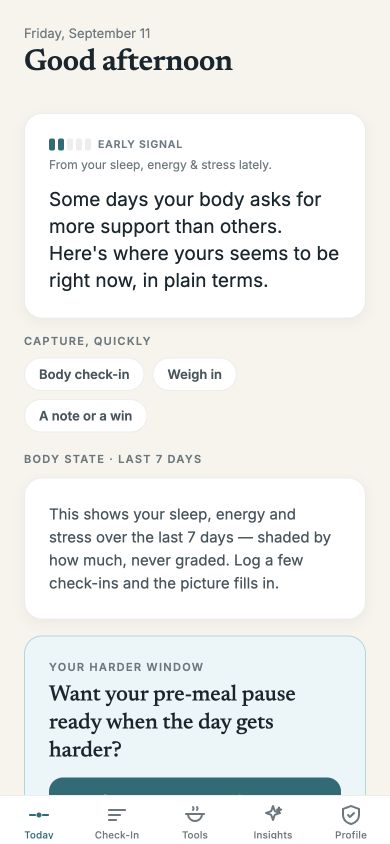
The BodyTide Today screen: an early read on the day from sleep, energy and stress, with one-tap capture — no scores.

For your clients · the mobile app

Easy to use, worth opening every day.

An early read on the day, a check-in that’s theirs to skip, and weight as a direction — never a number they didn’t ask to see.

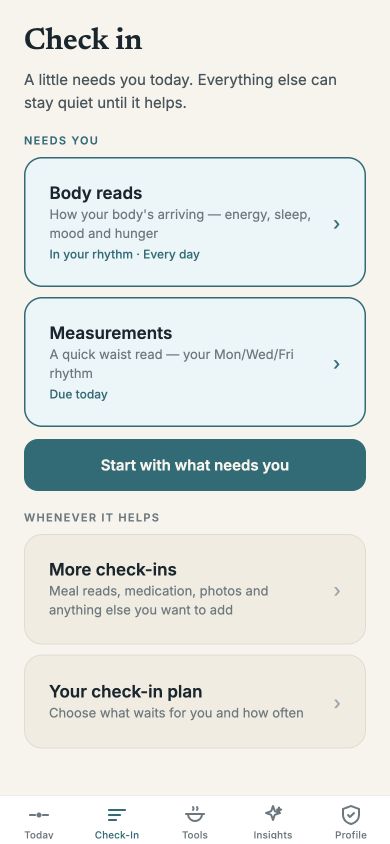
The guided check-in hub — a little needs the client, the rest is optional.
Guided check-in

The day, triaged: a little needs them, the rest is optional.

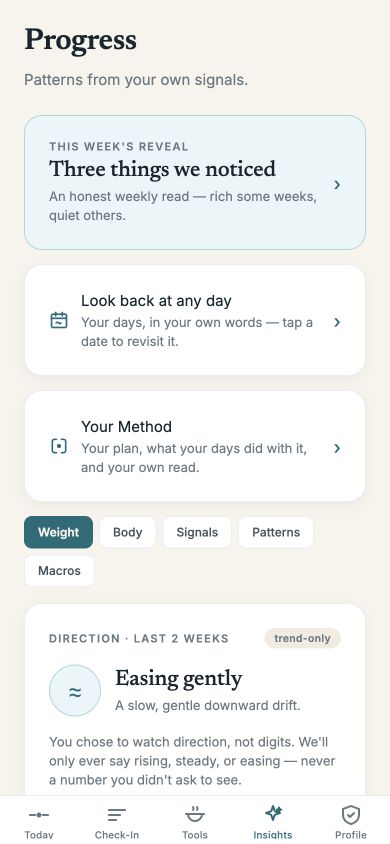
Insights showing weight as a direction — rising, steady or easing — with a trend-only toggle.
Trend, not verdict

Weight as a direction — rising, steady or easing — never a goal line.

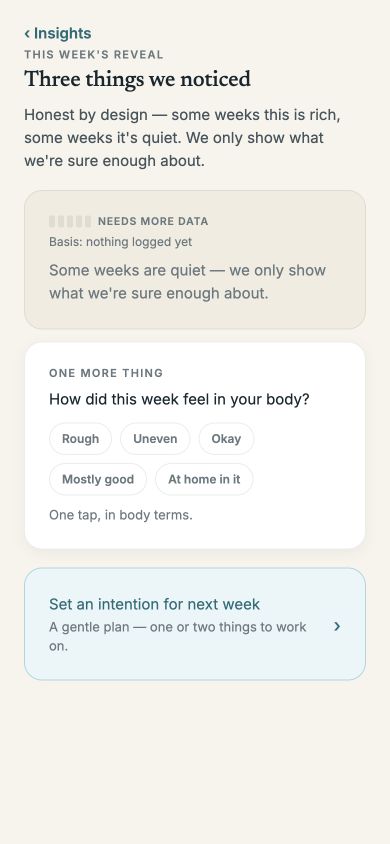
This week's reveal — three things we noticed, honest by design.
The weekly reveal

“Three things we noticed” — rich some weeks, quiet others.

Using BodyTide as a client? Join the public beta, or see the app from your side.

In the app · and in your coaching

Tools that become your coaching.

A library of in-the-moment practices, a meal-presence flow, and a before/after meal scan — each a pause that builds a signal, and every use flows back to you.

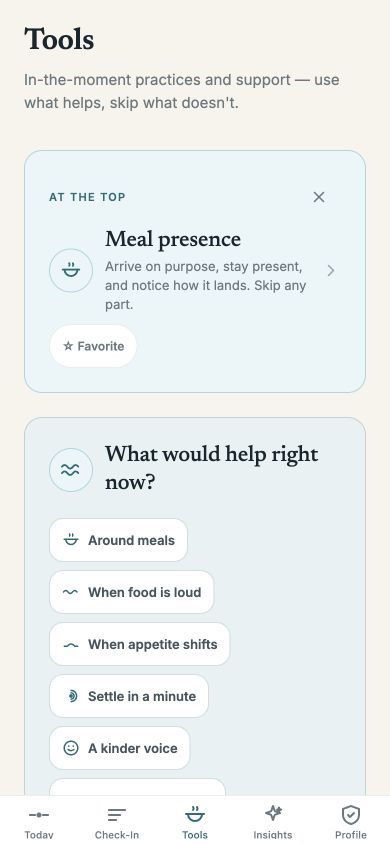
The Tools library, grouped by moment — around meals, when food is loud, settle in a minute.
A real library

Grouped by moment — around meals, when food is loud, settle in a minute.

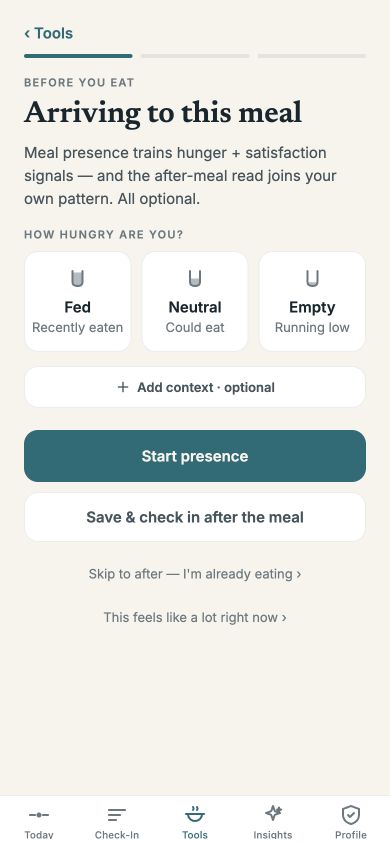
Meal presence — arrive on purpose; trains hunger and satisfaction signals, all optional.
Meal presence

Arrive on purpose; trains hunger & satisfaction signals — all optional.

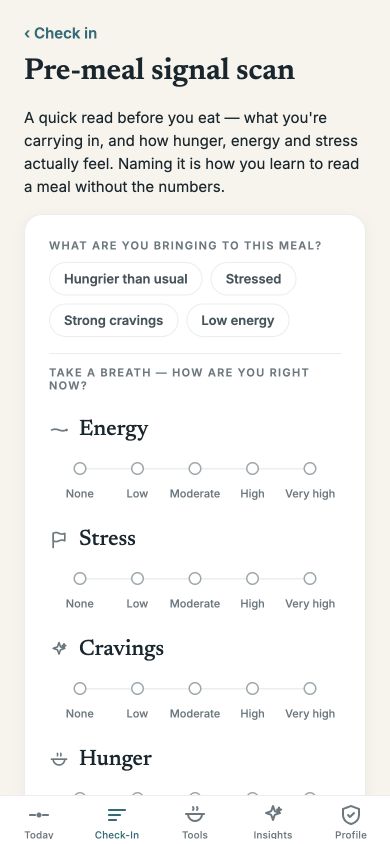
Meal scan — a read before a meal, a debrief after; each stands alone.
Meal scan

A read before, a debrief after — they pair up by themselves.

1

You recommend

Pick from the library or write a one-line idea of your own.

2

They see your pick

It appears in their app, tagged “Recommended by your coach.”

3

They tell you

Helped · Didn’t help · Didn’t try — back to your dashboard.

Useful with no coach, too. A default library always surfaces appetite support and supportive ideas — so the app is never empty, and your picks are additive on top.

Depth & context

The full picture behind every number.

Weight, fuel, sleep, cycle, appetite and more — one app captures it, and an on-device pattern model reads across all of it, so you get the context, not just the number. Patterns are noticed, never predicted.

What lands in your dashboard

Body

Weight & trendMeasurementsProgress photos

Fuel

Macros & nutritionMeal contextPortion sketch

Rhythm

SleepEnergyStressMood

Appetite

HungerCravingsFood noiseFullness

Cycle & context

Menstrual cycleHormone contextMedication context

Reflections

Daily reflectionNotesWinsQuestions
Signals sync automatically from Apple Health & Health Connect — weight, sleep, activity and cycle — so the picture fills in without you chasing anyone.

All of it, in one place

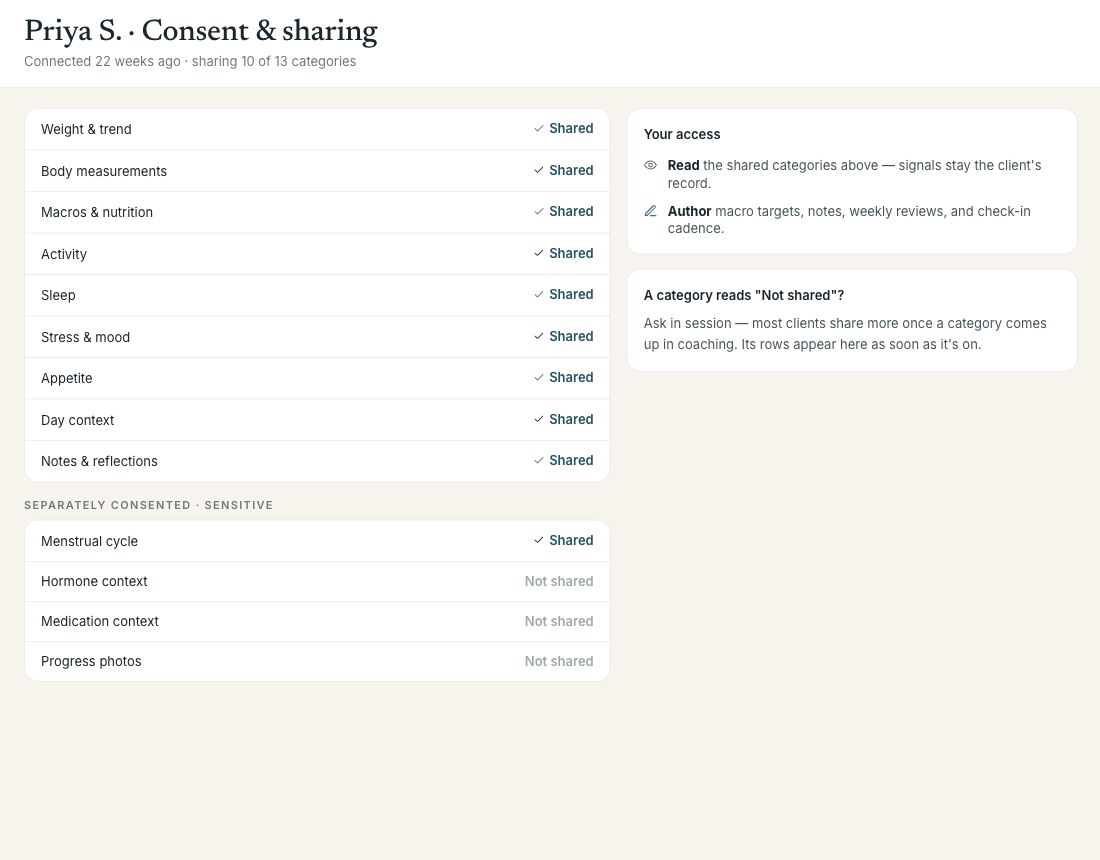
The provider view of a client's shared categories, each arriving consent-gated.
Check-ins, notes, cycle and sleep context arrive together — so you read the “why” behind the number without chasing anyone. It’s consent-gated and read-only by design: the trust stays the client’s, and your record stays clean.

For you · the provider dashboard

Your control surface.

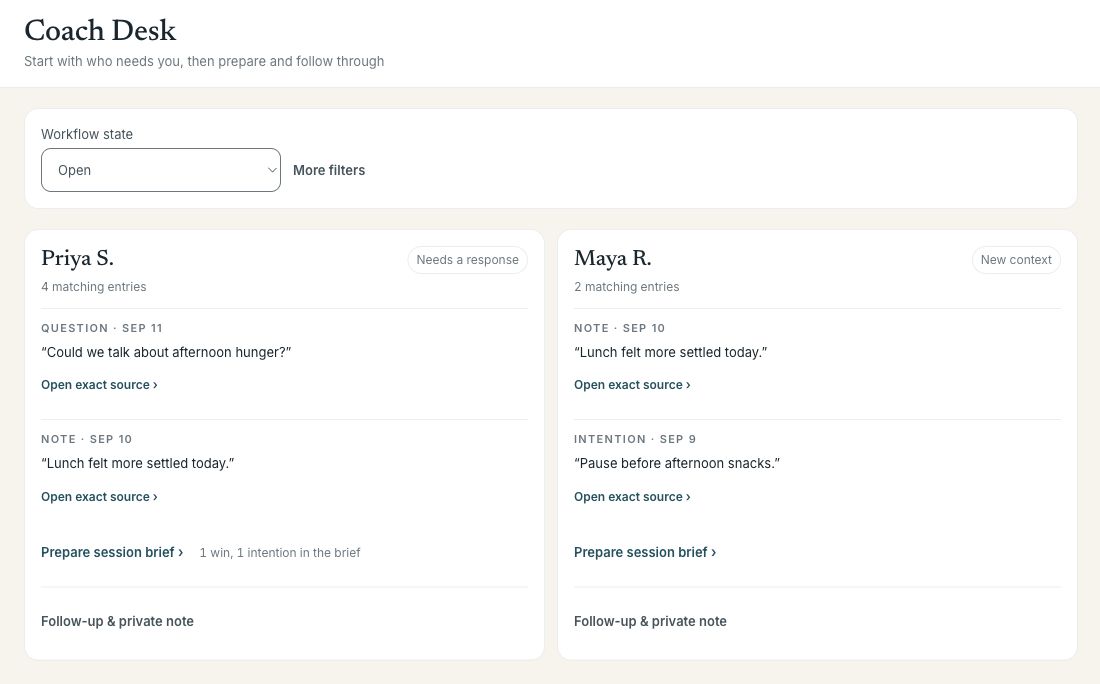
The shared signals become a dashboard built to steer more clients personally, in less time — set targets, recommend support, answer questions between sessions, and walk into each one already read up.

Coach Desk showing fictional clients, questions that need a response, new context, and links to session briefs.

Coach Desk. Questions, new context, and follow-up in one place, with a link back to each source. Screens shown with sample data.

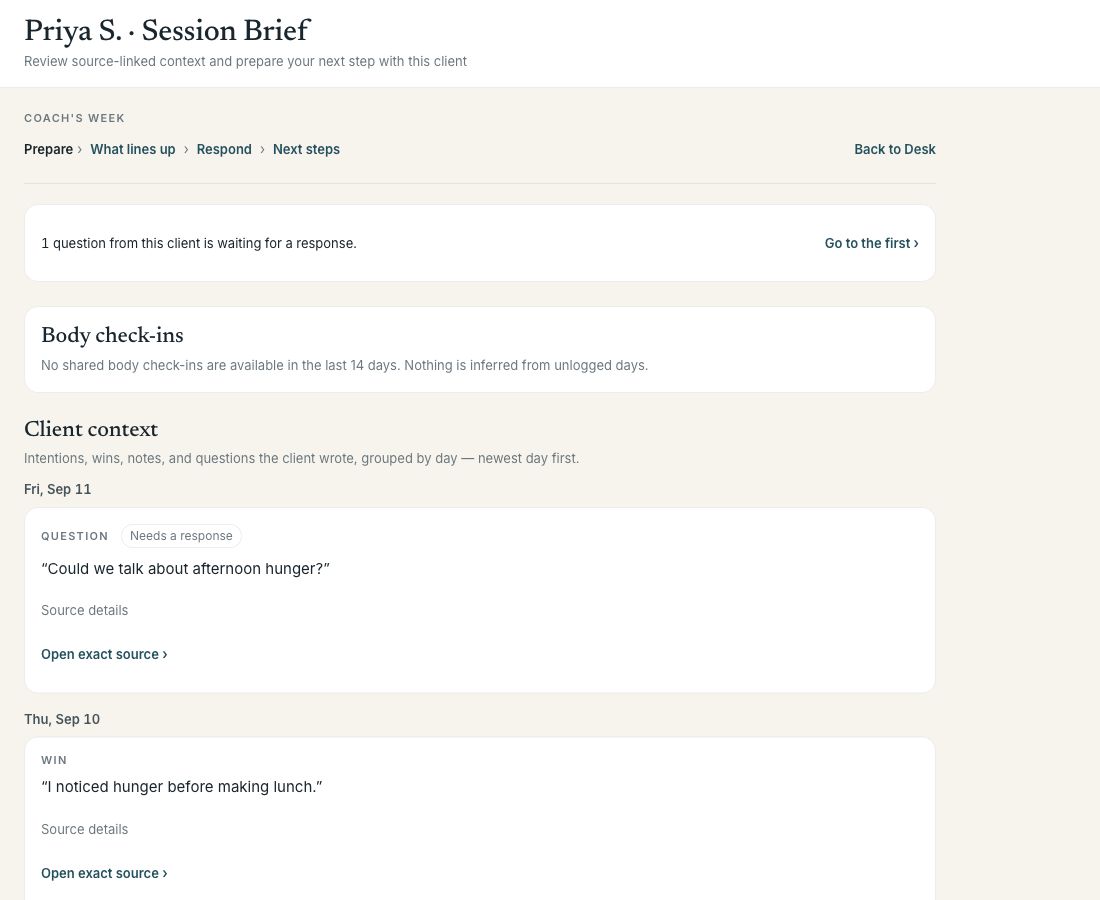
Session Brief with a client's question, shared body-check-in availability, and dated reflections, using fictional sample data.

Session Brief. Prepare from the client’s own words, grouped by day, then move into patterns, a response, or next steps.

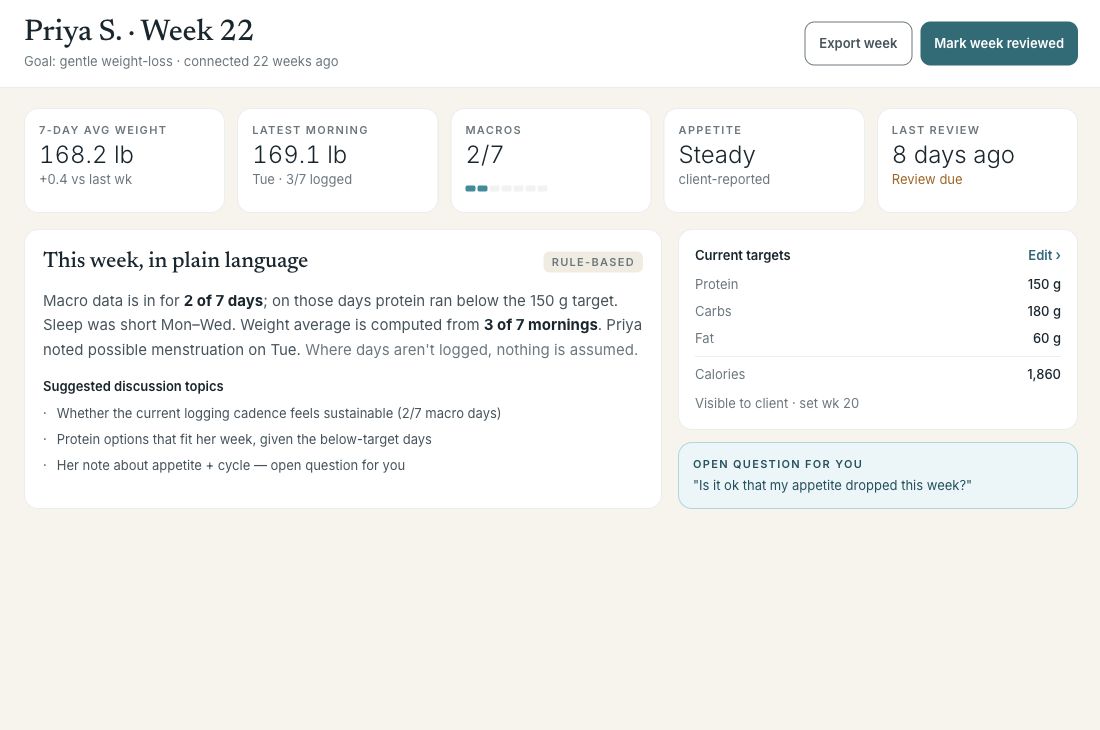
The weekly snapshot: 7-day average weight, macros, appetite, this week in plain language, current targets, and the client's open question.

Weekly snapshot. The pre-session read in plain language — logged-days-only, nothing assumed, with your current targets and the client’s open question.

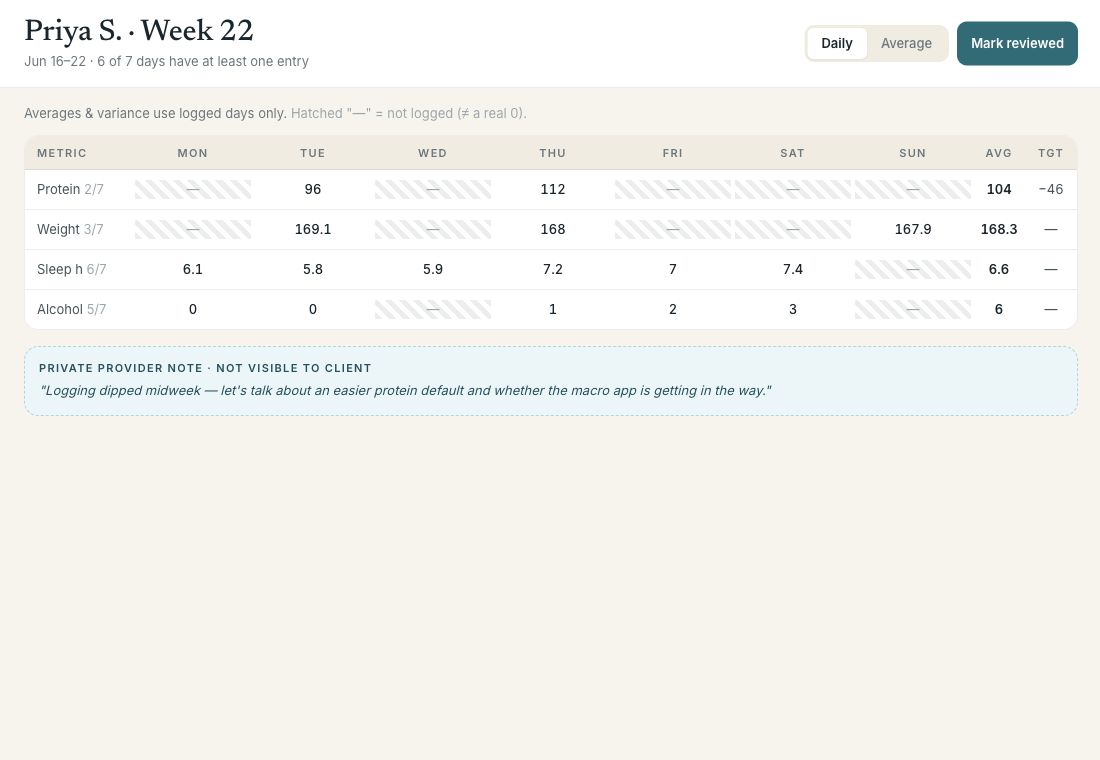
Weekly review table with per-day values; a dash means not logged, never a zero.

Weekly review. Per-day detail; “—” means not logged, never a zero.

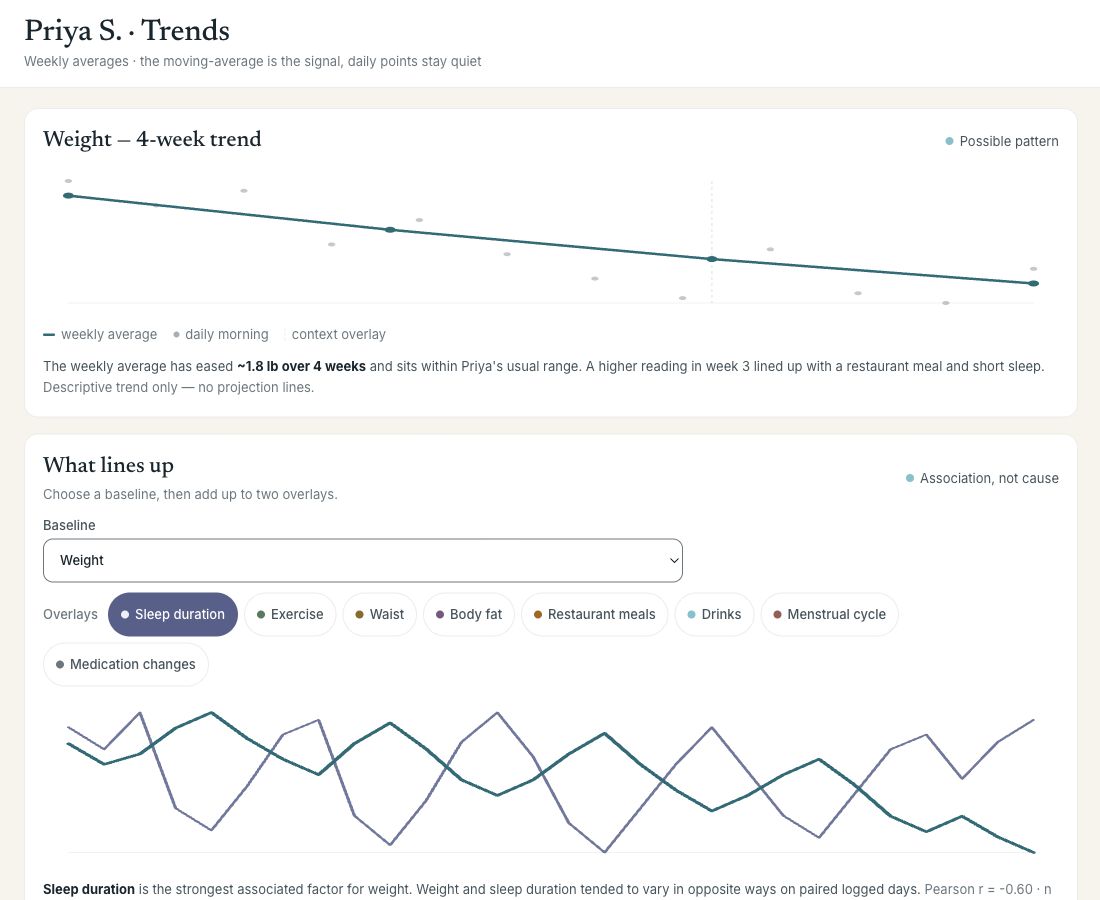
Trends with overlays showing what lines up with weight — descriptive only, no projection lines.

Trends. Descriptive only — overlays show what lines up, never a projection.

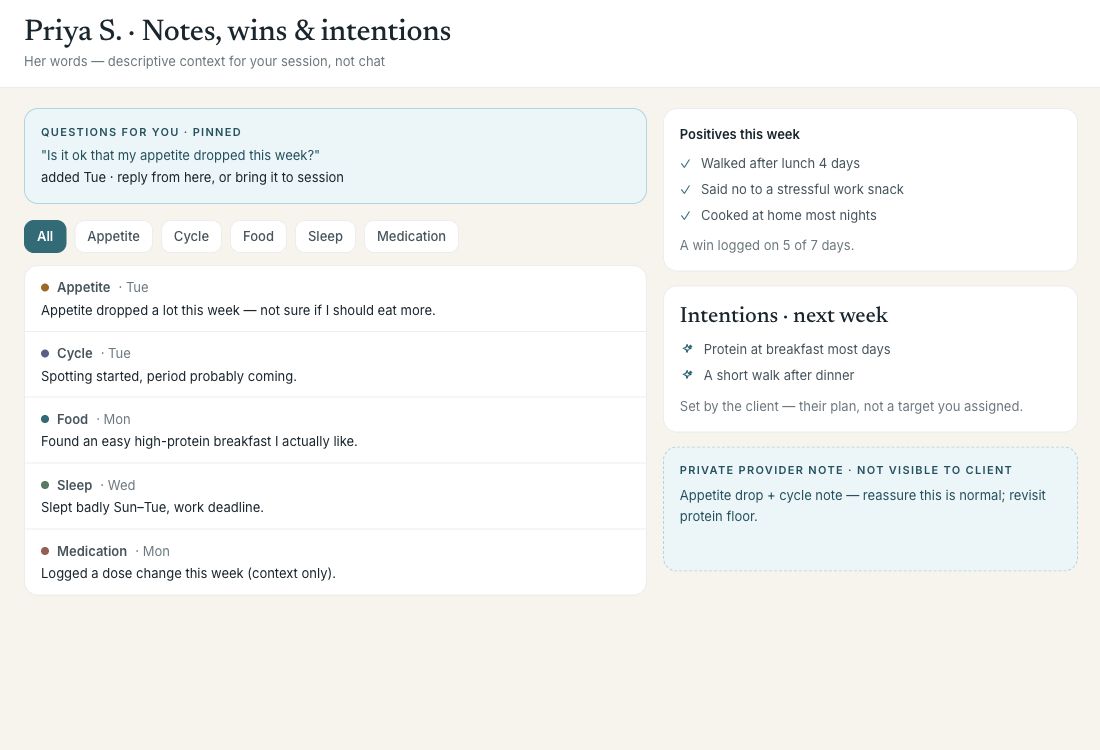
Notes, wins and intentions in the client's own words, plus a private provider note.

Notes, wins & intentions. The client’s own words, plus private notes only you see.

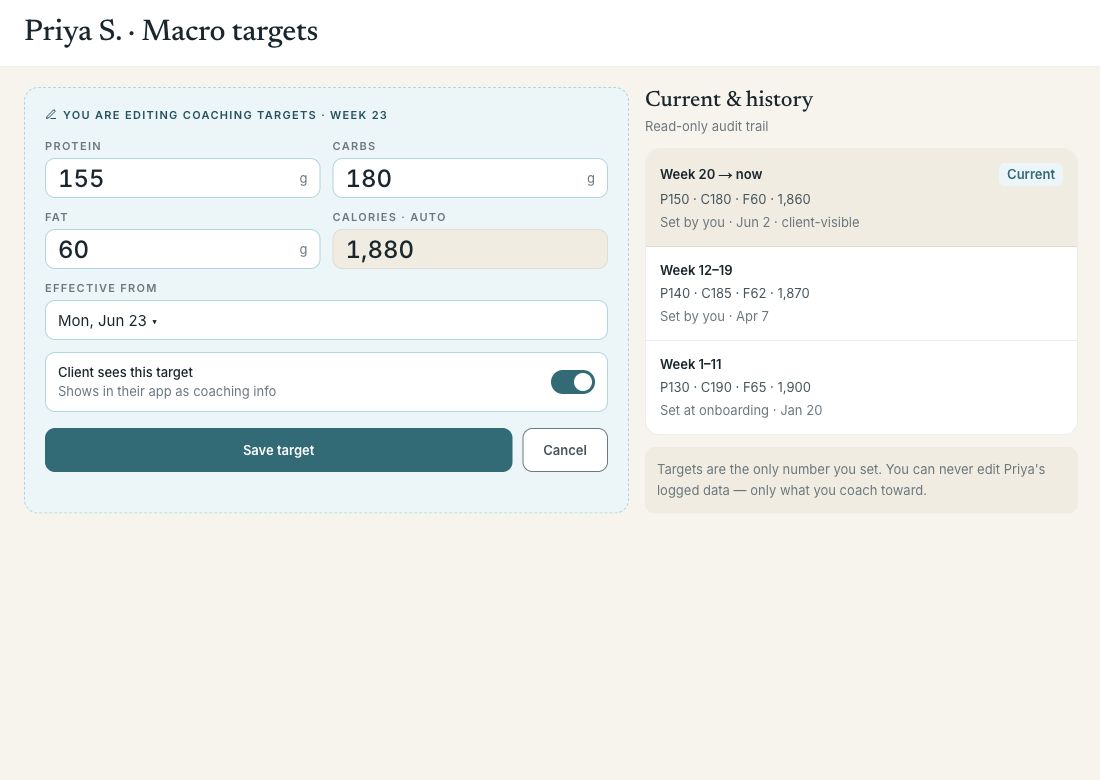
Macro targets editor with a read-only audit trail of past targets.

Macro targets. The one number you set — with a full audit trail.
Core positioning

BodyTide isn’t just another tracker.

It surfaces the deeper body patterns underneath daily fluctuations — turning weight, nutrition, sleep, cycle, and signal data into clearer decisions. Clients who feel in control, and see their wins celebrated, don’t churn.

“My old app had endless check-ins but no tools that fit my day. Now my sleep, cycle, and meals just show up, my coach sees why my weight moved, and I celebrate the changes I can feel — not a number on a scale. It finally feels built around my life.”

— a BodyTide client

Get started

See it on your own clients.

Coaching that feels 1:1 — at scale. We’ll walk you through the dashboard and the app, and shape a plan around your practice.

Request a demo

Prefer to explore first? See what clients experience.